
Quick answer: You can access `.mil` or DoD webmail from home only when your organization authorizes remote webmail for your account, device, location and network. Use the exact Outlook on the web/OWA address supplied by your component, an approved supported browser and device, a valid CAC and reader, and the certificate-selection flow configured for that tenant. CAC compatibility alone does not authorize personal-device access.
There is no single permanent webmail URL or certificate choice for every Service, agency, command and mailbox migration. Avoid third-party “military email login” lists; verify the current address through your organization’s official site, onboarding material, software portal or known help desk.
Home webmail access checklist
| Requirement | Evidence before login |
|---|---|
| Authorization | Remote webmail and the chosen device/location are permitted for your work. |
| Mailbox | The account is active in the correct component/tenant and remote access is enabled. |
| Official URL | The full HTTPS hostname comes from a current official organization source. |
| Endpoint | The supported OS/browser is patched and carries required security controls. |
| CAC path | The approved reader detects the current card and browser can enumerate certificates. |
| Information rules | You know what may be viewed, downloaded, printed or forwarded from that environment. |
1. Confirm remote webmail is permitted
The DoD Cyber Awareness Challenge 2026 describes webmail as a remote email service and says to use it with caution when permitted because it may bypass some protections built into the organization’s normal environment. Follow component policy for personal devices, government-furnished equipment, VPN requirements, controlled information, records, attachments and printing.
Do not move official communication to Gmail, Outlook.com or another personal account when webmail is unavailable. DoD awareness guidance says not to use personal accounts to conduct official DoD communication.
2. Obtain the current official address
Use the address published by the mailbox owner or component. Mail systems can migrate between Exchange environments, Microsoft 365 tenants, gateways and remote-access services. An old OWA bookmark may redirect, produce a tenant/account mismatch or reach a retired service.
Inspect the complete hostname before presenting a certificate or PIN. A familiar Microsoft sign-in page or DoD logo does not prove that an unsolicited link is legitimate. When in doubt, navigate from the official organization page or call a known help-desk number.
3. Prepare the authorized endpoint
Patch the operating system and approved browser, enable required security controls and connect the approved CAC reader. If using a personal device is authorized, follow the exact configuration boundary supplied by the organization. Do not install government software, VPN profiles, middleware or certificates merely because another component’s tutorial recommends them.
For the broader endpoint, router, Wi-Fi and workspace controls, use the secure DoD home-office checklist.
4. Verify CAC detection before webmail
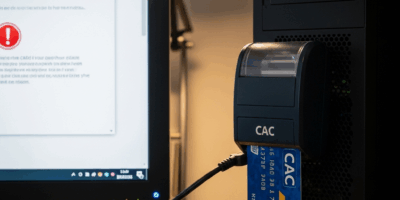
Confirm the operating system detects both reader and current CAC. If not, use the CAC reader diagnostic. If the browser sees the card but the webmail site offers no certificate, examine browser integration, middleware requirements and whether the tenant actually requested certificate authentication.
DoD Cyber Exchange provides current end-user browser and middleware guidance. Commercial middleware should come through the organization’s licensing/software channel, not an ad or file-sharing site.
5. Follow the tenant’s authentication flow
Outlook on the web can be configured for certificate-based authentication. Microsoft documents that the client certificate can reside on a smart card and must map to the intended user/account through the organization’s identity configuration. Microsoft Entra tenants may also use certificate-based authentication with tenant-specific policies and certificate bindings.
Select a certificate according to the current component/webmail instructions. Do not assume every `.mil` environment expects the same certificate label. Enter the CAC PIN only in the expected smart-card authentication dialog for the official hostname and action you initiated.
6. Interpret failures by layer
No certificate selection appears
Confirm reader/card detection, supported browser, card/provider integration and whether the organization requires middleware. If another approved CAC portal works, include that comparison when reporting the issue.
Certificate or PIN succeeds, then “account not found”
The cryptographic credential may be valid while the mailbox resides in a different tenant, has not been provisioned, uses another affiliation or lacks the required mapping. Contact the mailbox/identity owner rather than repeatedly changing card settings.
Access denied after login
Authentication and mailbox authorization are separate. Remote access might be disabled for the account, device, network, role or location. Provide the exact denial and tenant/URL to the help desk.
Redirect loop or blank page
Record every hostname and timestamp. Close the affected browser session, return to the known official entry URL and try once. Do not broadly delete all certificates or trust warnings. A server-side tenant, federation or OAuth issue can affect many users and cannot be repaired from the CAC.
Repeated PIN prompts
Stop before risking the card’s retry counter. Use the repeated CAC PIN prompt diagnostic to distinguish expected private-key operations from session, certificate, provider or portal loops.
Card reports blocked
Three consecutive incorrect PIN entries lock the CAC. Use the official RAPIDS/authorized staffed CPR biometric-reset process; browser cleanup cannot unblock the card.
7. Keep webmail login and S/MIME separate
CAC authentication to the mailbox and S/MIME message signing/encryption are separate functions. Being able to open webmail does not prove that the browser/client can sign a message, and S/MIME controls may require administrator deployment or a supported client configuration.
Use the CAC email-signing and S/MIME guide for signing-certificate selection, controlled testing and recipient validation. Do not export CAC private keys to make web signing work.
8. Protect official information at home
- Prevent family members, guests and consumer assistants from seeing or recording the screen or conversations.
- Download, print, store and dispose of attachments only as organization policy permits.
- Do not forward official mail or attachments to personal accounts or storage.
- Verify unexpected links and attachments through a known channel.
- Remove the CAC and sign out when finished; closing a tab alone may not terminate every session.
- Report suspected phishing, account misuse, lost credentials or unauthorized disclosure promptly.
9. Give support useful evidence
Provide the official entry URL, all redirect hostnames, exact error, time, account affiliation/component, device authorization type, OS/browser version, reader model, middleware status, certificate label selected and whether another approved CAC portal works. Do not send the PIN, card photographs or private certificate material.
Frequently asked questions
What is the correct `.mil` webmail URL?
Use the current address supplied by your component or mailbox owner. A universal static list is unsafe because tenants, gateways and migrations change.
Can I access `.mil` email from any personal computer?
No. The organization must authorize the device, location and workflow. Technical CAC support does not grant permission.
Which CAC certificate should I select?
Follow the current tenant/component instructions and certificate purpose. Do not use a universal “EMAIL” or “PIV” rule across all webmail environments.
Why does CAC login work on another site but not webmail?
That comparison suggests the card, reader and PIN can operate. Webmail-specific tenant mapping, mailbox provisioning, remote-access policy, certificate filtering or session behavior is more likely.
Can I use personal Gmail when webmail is down?
No. DoD awareness guidance says not to conduct official DoD communication through personal accounts. Use the approved outage or alternative communication procedure.
Official references
- DoD Cyber Awareness Challenge 2026: Email and Webmail Guidance
- DoD Cyber Exchange: PKI/PKE End Users
- DoD Cyber Exchange: Browser CAC Configuration
- Microsoft Learn: Certificate-Based Authentication in Outlook on the Web
- Microsoft Learn: Microsoft Entra Certificate-Based Authentication
Official webmail/CAC guidance was checked in August 2026. Your mailbox owner’s current URL, tenant, device and information-handling policy take precedence.


Stay in the loop
Get the latest cac setup.com updates delivered to your inbox.