
Quick answer: A secure DoD remote-work setup starts with authorization and data rules, not equipment shopping. Use the organization-approved device, VPN or access method, CAC reader, software and collaboration services. Patch the device and home router, replace default router credentials, use current Wi-Fi encryption, separate untrusted household or IoT devices where practical, protect conversations and screens, and report suspected compromise through the designated channel.
This page does not authorize telework, processing classified information, use of a personal device, or installation of government software. Your component’s policy, security office and help desk determine what information and systems may be accessed from home.
Secure home-office checklist
| Layer | Minimum evidence | Owner |
|---|---|---|
| Authorization | The work, location, device and access method are approved | Supervisor/security office |
| Endpoint | Supported OS, current patches, encryption and approved security controls | Organization or device owner |
| Home network | Router supported, updated, protected by unique admin credentials and current Wi-Fi security | Home-network owner |
| Remote access | Official client/profile and correct organization endpoint | Organization help desk |
| CAC | Reader and card enumerate without unapproved middleware | User/help desk/card office |
| Workspace | Screen, audio, documents and tokens protected from unauthorized people | User |
1. Establish the authorization boundary
Confirm which device may be used, which data may be handled, where it may be handled, and which access path is approved. Government-furnished equipment may be centrally managed; personal equipment may be prohibited or limited to specific web services. Do not move files to personal email, storage, printers, messaging accounts or collaboration platforms to make remote work easier.
Classified work requires accredited facilities and systems. A private room, VPN or CAC does not convert a home office into an approved classified workspace. Follow organization rules for controlled unclassified information, privacy data and records as well.
2. Use a supported, patched endpoint
Apply operating-system, browser and approved application updates promptly. Enable the security controls supplied by the organization and do not disable endpoint protection, firewall, disk encryption, certificate validation or management software to solve a connection problem. Lock the screen whenever you step away and shut down or secure the device according to policy.
Use a standard account for ordinary work when you control the device, reserving administrator privileges for necessary changes. Install software only from the organization, approved software center or original vendor. Browser extensions, remote-support tools and copied middleware are software too; each can expand access to sensitive sessions.
3. Harden the home router without guessing
NSA’s home-network guidance emphasizes supported routing equipment, current firmware, secure administration and network segmentation. Replace factory-default router administration credentials with a unique passphrase. Disable internet-facing remote administration unless it is specifically required and securely configured. Turn off obsolete wireless security and use the strongest current mode supported by all required devices.
Check whether the router still receives security updates. End-of-support equipment cannot be made current through a password change. The April 2026 NSA/FBI warning about compromised small-office and home-office routers reinforces the need to update firmware, disable exposed management and replace unsupported devices.
Where the router supports it, place entertainment, guest and Internet-of-Things devices on a guest or separate network. Segmentation reduces the opportunity for an untrusted household device to interact directly with a work endpoint. Do not improvise enterprise routing, DNS or firewall settings that conflict with the approved remote-access client.
4. Protect Wi-Fi and avoid public-network assumptions
Use a unique Wi-Fi passphrase and current encryption. Do not share the work network broadly. Avoid public Wi-Fi for sensitive remote work when policy provides a safer approved option. NSA recommends minimizing public wireless exposure and, when public access is unavoidable and authorized, using the organization-approved VPN or a trusted personal/corporate hotspot.
A VPN protects traffic along part of its route; it does not make a compromised device, fake login page, exposed screen or malicious attachment safe. Verify the organization’s actual VPN hostname and client source instead of following unsolicited setup links.
5. Set up the CAC layer separately
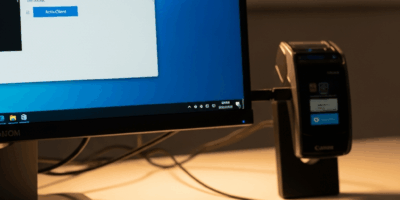
Connect the approved reader directly when practical and verify that the operating system sees it before opening the remote-access client. Use native platform smart-card support unless your organization requires approved middleware. Obtain VPN profiles, middleware and certificates only through the organization or current official sources.
Never disclose the CAC PIN, leave the card unattended in the reader or approve repeated prompts you did not initiate. Stop guessing before a possible lockout and contact the card office or help desk. If the reader works for a web portal but not the VPN, capture that comparison; it points toward VPN profile, certificate selection or account policy rather than hardware.
6. Protect the physical workspace
Position the screen so visitors, windows and cameras cannot expose work. Use a headset when conversations could be overheard. Store paper, removable media, tokens and the CAC according to policy, and use only approved printing and disposal methods. Disconnect or mute consumer assistants and recording devices near sensitive discussions when policy requires it.
Prevent family members or guests from using the work device. A separate operating-system account is not a substitute for organization rules. Keep food and drinks away from the card and reader, and have an approved method to report a lost device, card or document immediately.
7. Recognize phishing and false support
Remote workers are attractive targets for fake VPN notices, password-expiration messages, collaboration invitations and help-desk calls. Verify requests through a known contact path. Do not install a remote-control tool, reveal a PIN, approve an unexpected multifactor prompt or visit a replacement portal from an unsolicited message.
8. Prepare a failure and incident plan
Save the official help-desk number, security-reporting channel, VPN address and equipment return instructions somewhere available during an outage. Record errors, timestamps and recent changes before resetting devices. If compromise is suspected, follow the organization’s isolation and reporting procedure; do not erase the system or destroy evidence unless directed.
Frequently asked questions
Can I use my personal computer for DoD remote work?
Only when the organization explicitly authorizes that device and workflow. CAC compatibility alone is not authorization.
Does a CAC make my home network secure?
No. A CAC provides certificate-based identity and cryptographic operations. Router security, endpoint protection, approved access, physical privacy and user behavior remain separate controls.
Should I buy a new router?
Replace a router when it is unsupported, cannot receive security updates, cannot provide required secure configuration or is implicated in an incident. Otherwise, verify updates and configuration before purchasing.
Can I work over public Wi-Fi if I use a VPN?
Follow organization policy. A VPN reduces some network exposure but does not remove risks from fake access points, compromised endpoints, phishing or physical observation.
Official references
- NSA: Telework and Mobile Security Guidance
- NSA: Best Practices for Securing Your Home Network
- NSA/FBI: 2026 router threat and mitigations
- NSA: Securing Wireless Devices in Public Settings
Home-network and telework guidance was checked against NSA resources in July 2026. Organization-specific policy always takes precedence.
If the home-office layers are secure but the remote-access client cannot use the card, follow the VPN CAC authentication diagnostic for profile, certificate, gateway and posture evidence.
Complete required training only through an approved path; the DoD Cyber Awareness Challenge 2026 guide explains official course options, compatibility and completion evidence.
For TDY, leave or other travel, use the separate traveling-with-your-CAC checklist before taking a card, reader or official device away from the home-office environment.
Use the CAC security best-practices checklist for the token-specific controls behind physical possession, PIN safety, approved systems and incident reporting.
If remote work includes authorized webmail, use the .mil webmail CAC access guide for official URLs, device policy, tenant/account mapping and information handling.
A personal VM does not create authorization; use the CAC-in-a-VM guide for host, guest, redirection, data and session-security boundaries.


Stay in the loop
Get the latest cac setup.com updates delivered to your inbox.