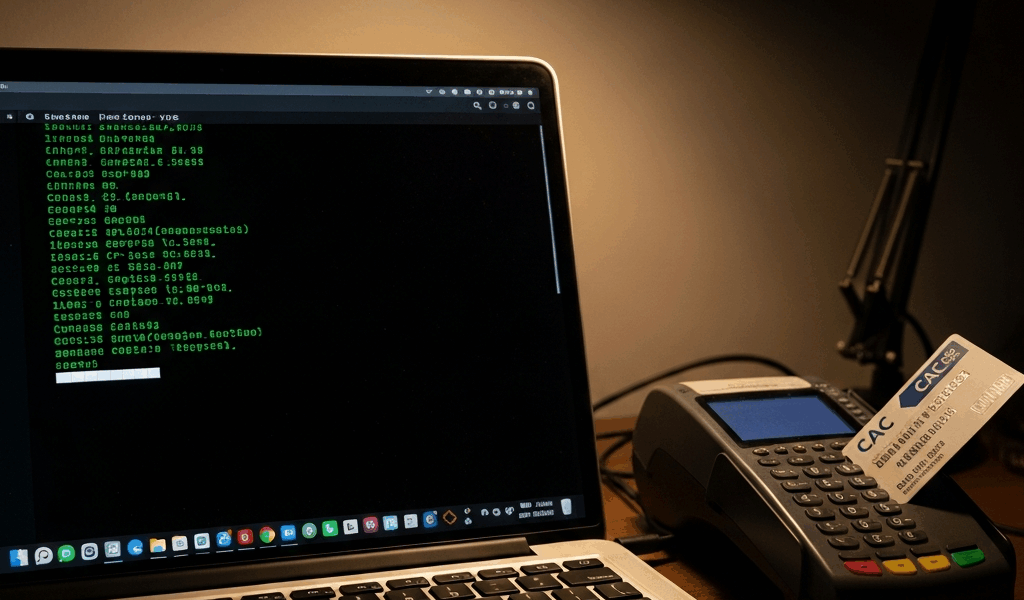
Quick answer: Do not reinstall the entire Linux CAC stack first. Find the earliest failing layer: USB reader detection, PC/SC reader/card communication, OpenSC/PKCS#11 exposure, browser registration, certificate trust, portal authentication, or application authorization. One clean comparison at each layer is faster and safer than repeating package installs or PIN attempts.
This troubleshooting guide assumes CAC use is authorized on the device and target service. For initial installation, start with the Linux CAC setup guide. Commands below are read-only diagnostics unless stated otherwise; confirm them against the supported distribution and organization policy.
Linux CAC decision tree
- No reader at the USB/device layer: inspect hardware, cable, port and kernel/device detection.
- Reader exists but PC/SC cannot see it: inspect the CCID driver, PC/SC units and logs.
- Reader appears but card never inserts: compare the card orientation, reader slot and an approved known-good reader/card.
- PC/SC works but OpenSC has no slot/certificate: inspect OpenSC package/version, module and card support.
- OpenSC works but browser has no certificate: inspect PKCS#11 registration and duplicate/wrong module paths.
- Certificate appears but validation fails: separate server TLS, client-certificate chain and revocation/status reachability.
- Authentication succeeds but access is denied: route to the application account/authorization owner.
Capture a safe baseline
Record the distribution/release, kernel, browser package/source, OpenSC version, reader model and exact failure stage. Useful commands include:
cat /etc/os-release
uname -r
opensc-tool --version
pcsc_scan
Do not publish full card output, certificate serial numbers, user identifiers, internal portal URLs or unredacted logs. Never include the CAC PIN.
Layer 1: Linux does not detect the USB reader
Disconnect hubs and docks for the first comparison when policy permits, connect the reader directly, and inspect the USB device list:
lsusbIf the device does not appear, changing browser certificates cannot help. Try another approved port and check power/cable seating. Test the reader on an approved known-good workstation or a known-good compatible reader on the affected system. Change one variable at a time.
If the device appears only intermittently, review kernel messages through the approved support process. USB resets, disconnects or power errors point to hardware, cable, hub, port, firmware or kernel-driver boundaries—not CAC certificate trust.
Layer 2: PC/SC cannot list the reader
Inspect the service and socket state rather than assuming pcscd.service must always be permanently enabled:
systemctl --no-pager --full status pcscd.socket pcscd.service
pcsc_scan
If lsusb sees the device but pcsc_scan lists no reader, verify that the distribution’s PC/SC daemon and appropriate CCID reader-driver package are installed. Ubuntu commonly provides pcscd and libccid; Fedora provides pcsc-lite and pcsc-lite-ccid. A non-CCID reader may require a different approved driver.
Review current logs without changing permissions broadly:
journalctl -u pcscd --since todayDo not solve a permissions error by making the USB device world-writable, disabling udev protections, or adding the user to a guessed group. Group names and access models vary, and many current distributions do not require a special interactive-user group for ordinary PC/SC access.
Layer 3: the reader appears but the CAC does not
In pcsc_scan, insert and remove the card once and watch for state changes. A reader listing with no card-inserted event can indicate orientation, dirty/damaged contacts, a contactless-versus-contact slot mistake, reader hardware, or card damage.
Use an approved two-way comparison when possible:
- affected CAC in a known-good reader;
- known-good CAC in the affected reader.
Do not clean the chip with abrasives, bend the card, disassemble the reader or repeatedly enter a PIN. If the card fails across approved known-good systems, follow card-support/RAPIDS procedures.
Layer 4: PC/SC sees the card but OpenSC does not
Compare the two middleware views:
opensc-tool --list-readers
pkcs11-tool --list-slots
If PC/SC reports a stable card but OpenSC reports no usable slot, verify that OpenSC came from the supported distribution repository and is current for that release. OpenSC has published security advisories and updates; do not substitute a random binary or an old tutorial bundle.
Check which PKCS#11 module path the package actually installed:
dpkg -L opensc-pkcs11 | grep 'opensc-pkcs11.so$'
rpm -ql opensc | grep 'opensc-pkcs11.so$'
The Debian/Ubuntu command applies only when that split package exists; the Fedora command reflects a different packaging model. An empty result means “inspect this distribution’s package,” not “download a similarly named library from the web.”
Layer 5: OpenSC sees certificates but the browser does not
Close other smart-card applications and confirm that the browser is using the correct profile. If available, inspect OpenSC’s registration tool:
pkcs11-register --helpCurrent OpenSC can register modules with known applications, but packaging and browser profiles vary. In Firefox, inspect Security Devices and confirm one intended OpenSC module is loaded from the distribution-owned path. Duplicate modules can cause duplicate certificates or repeated prompts.
For Chrome/Chromium, do not assume every build uses the same ~/.pki/nssdb layout or that Firefox shares it. Prefer distribution/organization integration. Before any manual modutil change, confirm the exact browser database and back up the user-level profile. Do not edit managed policy.
Layer 6: repeated or unexpected PIN prompts
Stop after an unexpected repeat. A CAC can lock after consecutive incorrect PIN entries. Repeated prompts can result from the wrong certificate, multiple registered PKCS#11 modules, competing applications, an application retry loop or a legitimate series of distinct private-key operations.
Close other applications using the card, remove duplicate module registrations through the supported configuration path, and retry one controlled authentication. Do not test guessed PINs, script PIN entry, cache the PIN in an unapproved tool or select certificates at random.
Layer 7: certificate or secure-connection error
Identify which certificate failed:
- Server TLS certificate: the browser warns before or independently of CAC selection.
- CAC client certificate: the portal requests a certificate but rejects its chain, status or intended use.
- Account mapping: the certificate validates, but the application cannot map it to a user.
Obtain required DoD trust anchors only from the official DoD Cyber Exchange or an organization-approved package. Do not use militarycac.com or another tutorial as the certificate source. Never disable hostname validation, TLS warnings, certificate-status checking, or revocation controls.
If certificate validation works off VPN but not on VPN—or the reverse—network/proxy reachability to required status services may be involved. Provide the network team with sanitized timing and scope evidence rather than changing security settings.
Layer 8: one portal fails while others work
A successful test on another approved CAC-enabled service is strong evidence that reader, PC/SC, OpenSC and basic browser integration work. Focus on the failing portal’s supported URL, identity provider, accepted certificate type, account mapping and authorization.
Use the military portal CAC-login guide and the CAC support ownership map. Do not reinstall Linux middleware to create a portal account or grant a missing role.
Layer 9: it works in Firefox but not Chrome—or vice versa
Treat browsers as separate application layers. They may use different profiles, databases, module registration or administrator policies. Compare:
- the installed browser source and version;
- whether the intended OpenSC module is registered exactly once;
- the module path and architecture;
- the certificate list at the same approved portal;
- managed policy and trust-store behavior.
Do not conclude that the reader is broken when one browser already performs card operations successfully.
Layer 10: failure began after an update
Record the package transaction and compare the supported release notes or advisories. Check whether the browser profile, OpenSC module path, pcsc-lite activation, trust bundle or managed policy changed. Prefer a supported forward fix or administrator rollback process; do not pin vulnerable packages indefinitely.
OpenSC’s project page lists current releases and security notices. Distribution security repositories may backport fixes under an older-looking version number, so compare package advisories rather than upstream version strings alone.
What not to do
- Do not download DoD roots or OpenSC binaries from a tutorial or file mirror.
- Do not make USB devices world-readable/writable to bypass an access error.
- Do not disable SELinux, certificate validation, revocation checking or browser security.
- Do not initialize, erase, write to or change the PIN on a CAC while diagnosing detection.
- Do not export a private key; CAC private-key operations remain on the card.
- Do not assume an authorization denial is a reader or middleware failure.
Escalation evidence by owner
| Evidence | Best next owner |
|---|---|
| Reader absent from USB/device layer | Endpoint/hardware support |
| USB sees reader; PC/SC does not | Linux endpoint/package/driver support |
| PC/SC sees card; OpenSC does not | Linux middleware/OpenSC support |
| OpenSC sees token; browser does not | Browser/endpoint configuration support |
| Many services fail certificate validation | PKI/trust/network support, based on scope |
| One portal rejects an otherwise working CAC | Portal/application owner |
| Authenticated but not authorized | Application account/access administrator |
Official and primary references
- OpenSC project, releases and security notices
- Debian pcsc-tools manual: pcsc_scan
- Debian OpenSC manual: pkcs11-register
- Ubuntu package index: libccid
- Fedora package index: PC/SC CCID driver
- DoD Cyber Exchange: PKI/PKE overview
- DoD Cyber Exchange: public-key enabling guidance
Primary Linux smart-card and DoD PKI sources were checked in August 2026. Distribution, browser, portal and organization requirements take precedence.



Stay in the loop
Get the latest cac setup.com updates delivered to your inbox.