
Understanding the CAC Card Reader
CAC card readers have gotten complicated with all the different models, compatibility issues, and driver headaches flying around. As someone who’s deployed, configured, and troubleshot thousands of CAC readers across DoD installations ranging from small field offices to major command centers, I learned everything there is to know about making these devices work reliably. Today, I will share it all with you.
How a CAC Card Reader Works
The CAC card reader interfaces with a computer to authenticate the identity of the cardholder. It reads the information stored on the chip embedded in the CAC—specifically the digital certificates necessary for encryption, decryption, and authentication processes. The reader acts as a bridge between the card and the computer system, enabling secure communication.
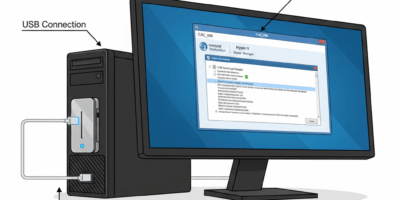
Data transfer occurs through the contacts on the chip when the card is inserted into the reader. The reader connects to the computer via USB or another port. Once connected, the system can access the certificates stored on the CAC. This connection is essential for secure login processes and accessing network resources. That’s what makes CAC readers endearing to us IT professionals—they turn a piece of plastic into a cryptographic authentication device.
Types of CAC Card Readers
- Portable USB Readers: These are compact and easily transportable. They plug directly into a USB port and are ideal for field personnel or remote workers. They’re popular due to their convenience and ease of use. I carry one in my laptop bag at all times—you never know when you’ll need to access a system remotely.
- Desktop Readers: More robust, these readers are designed for permanent desk setups. They may have additional security features or faster data transfer rates. They’re suited for office environments where the reader doesn’t need to be moved frequently. These tend to be more reliable over the long term.
- Combined Keyboard Readers: Some keyboard models come with an integrated reader. These consolidate space and are useful when desk real estate is limited. They include standard keyboard functions along with card reading capabilities. However, if either component fails, you’re replacing the entire keyboard.
- Contactless Readers: These operate using Near Field Communication (NFC) technology. They are less common for CAC due to the physical contact requirements for security protocols. However, they provide an additional layer of convenience for certain applications like physical access control.
Popular CAC Card Reader Brands
Probably should have led with this section, honestly. Many companies manufacture CAC card readers, each offering various features. Some of the reputable brands include SCR3310, Identiv, and Gemalto. These brands are known for reliability, compatibility, and ease of use. It’s important to choose a reader that is compatible with your operating system and meets your security requirements.
I’ve tested dozens of models over the years, and the SCR3310v2 remains my go-to recommendation for most users. It’s affordable, widely compatible, and has drivers that actually work without excessive troubleshooting. The Identiv uTrust series is excellent for travelers due to its compact folding design.
Setting Up a CAC Card Reader
Installation is generally straightforward—at least in theory. Most CAC readers are marketed as plug-and-play, requiring minimal setup. For Windows users, install any necessary drivers, which can usually be found on the manufacturer’s website or through Windows Update. Macs typically recognize the reader automatically, but software like PKard may be needed for full functionality.
Linux users might have more difficulty. Ensure your system supports PC/SC (Personal Computer/Smart Card) protocol. You might have to manually install libraries like CCID. Community forums can be useful resources for troubleshooting installation on Linux systems. I’ve spent more hours than I care to admit getting CAC readers working on Linux workstations.
Using a CAC Card Reader
Once your reader is set up, the next step is using it for authentication. Insert the CAC into the reader with the chip facing up and toward the reader—yes, there’s a correct orientation, and inserting it backwards won’t work. Open the software or website that requires access. When prompted, enter your Personal Identification Number (PIN). The system will validate your credentials, granting access if everything checks out.
Authentication issues can arise, and they’re frustrating when you’re on a deadline. Common problems include incorrect PIN entry, outdated certificates, or middleware conflicts. Ensure your CAC has valid certificates installed. Update them if needed through your local RAPIDS site or designated certificate management authority. Regularly check for software updates for both the reader drivers and your computer’s operating system.
Security Considerations
Security is the primary reason for using a CAC card reader. The reader ensures that only authorized personnel can gain access by requiring both physical possession of the card and knowledge of the PIN. This two-factor authentication reduces the risk of unauthorized data access and enhances overall cybersecurity. Always ensure the reader is from a reputable supplier to avoid counterfeit devices that might contain malware or hardware backdoors.
Safeguard against potential threats by keeping hardware and software up to date. Install patches and security updates as soon as they are available. Regularly audit access logs to detect any unusual activity—if someone’s trying to use your credentials from an unfamiliar location, you want to know about it immediately.
Troubleshooting Common Problems
- Reader not recognized: Check the connection. Ensure the USB port is functional by testing with another device. Try a different port or restart the computer. Sometimes Windows needs a reboot to recognize new hardware properly.
- Certificate errors: Update the certificates on your CAC through proper channels. Confirm they are not expired or corrupted. Certificate expiration doesn’t always match card expiration, which catches people off guard.
- PIN not accepted: Double-check the PIN entry. Make sure the keyboard input is correct and you’re not hitting extra keys. If unsuccessful after verifying the PIN is correct, you may have exceeded failed attempts and locked the card—contact your issuing office to reset it.
- Middleware conflicts: If you have multiple smart card middleware applications installed, they can conflict with each other. Stick with one middleware solution and uninstall others to avoid conflicts.
The Future of CAC Card Readers
Advancements in technology continually impact the design and functionality of CAC card readers. Newer models support faster data transfer and enhanced security protocols. Bluetooth and wireless options may become more prevalent, increasing flexibility for users—though wireless introduces new security considerations that need to be carefully evaluated.
As cybersecurity threats evolve, the need for improved security measures grows. Future innovations might include biometric authentication paired with CAC functionality, further tightening security. The integration of CAC readers with mobile devices is another developing area, particularly for personnel who primarily work from tablets or smartphones. I’ve been involved in pilot programs testing mobile CAC solutions, and while promising, they’re not quite ready for widespread deployment yet.
Recommended Resources
SCR3310v2 Smart Card Reader – $15.99
Compatible CAC reader for Mac and Windows.
Identiv uTrust 3700 F Reader – $29.99
Folding CAC reader for travel.
As an Amazon Associate, we earn from qualifying purchases.




Stay in the loop
Get the latest wildlife research and conservation news delivered to your inbox.